One reported public journey or defect
All products
When something looks broken now
Store Emergency Check
Get a fast, evidence-backed answer on one urgent storefront problem.
We reproduce one reported public-storefront issue, isolate the likely failure point and give your implementer a clear repair and retest brief.
£99one-time payment
See a worked example before you decideControlled demonstration · one example issue
Navy selected. Natural lands in the cart.
Here is what evidence and a useful repair brief look like. We intentionally built this defect into our own test storefront. The captures below are from that fixture, not a client result or proof of increased sales.
- Observed
- On the before version, choose Navy and add the bag. The selection says Navy, but the cart line says Natural. A buyer could receive the wrong variant; no customer impact or lost revenue was measured.
- Repair direction for your developer
- Pass the selected variant into the cart action instead of the fixed default. On a real store, review the theme and app behaviour before implementing a change.
- Acceptance check
- Add Navy and Natural separately in fresh sessions on mobile and desktop. Each cart line must match the selected colour. The recorded corrected fixture passes this check.
Recorded 2026-09-23T10:19:51.336Z · Chromium · 390 × 844 and 1440 × 1000 · local controlled fixture. These are historical captures; use the links below to inspect the published demo.
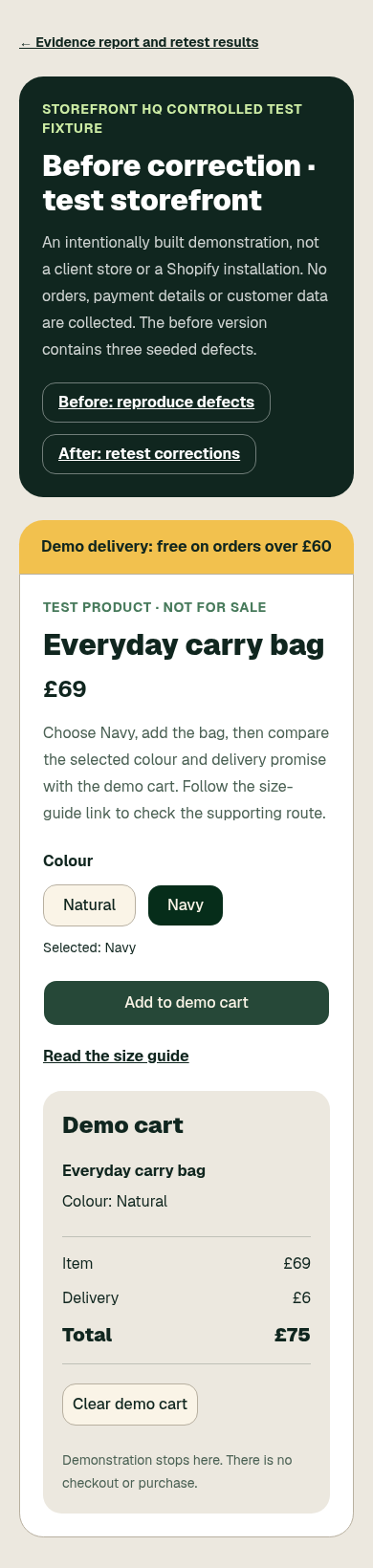 Open full capture
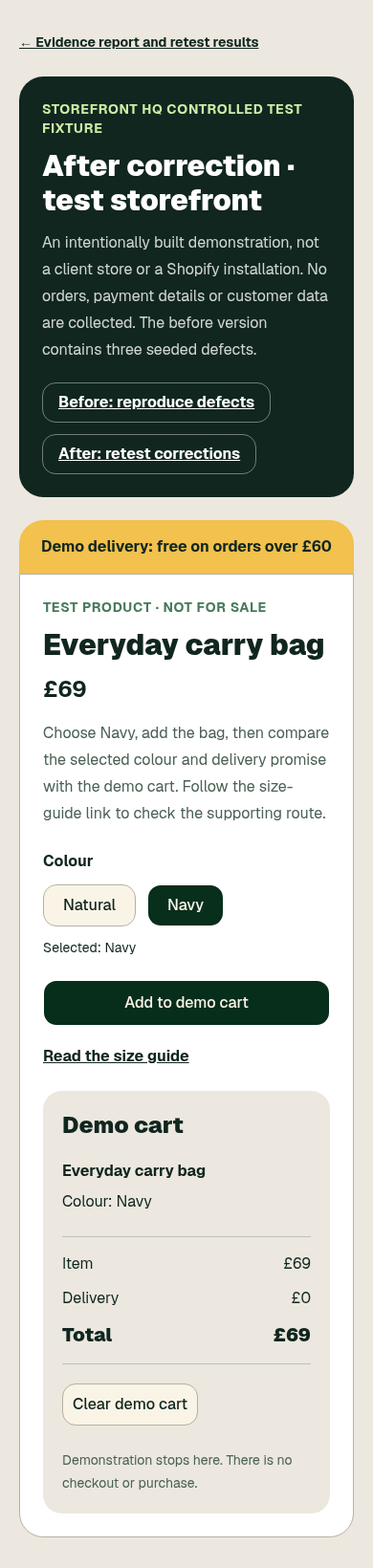 Open full capture
Your £99 check covers one reported public storefront issue, with initial diagnosis within 24 hours and one public retest after repair. Your developer or agency implements the repair.
Before you buy
Browser evidence and reproduction steps
One public retest after your repair
Storefront HQ provides templates, public-storefront diagnosis and implementation-ready guidance as described above. We do not guarantee sales results, access private store data, publish changes to your shop or act as your legal adviser. See the product terms before purchase.